
Forefront VR 1.0 Guide: Everything You Need to Know Before You Buy
Forefront VR 1.0: The Ultimate “Battlefield” Experience on Quest
The Battlefield of VR is finally out of early access! Forefront VR 1.0 releases on April 23rd for $27.99, complete with destructible environments and 32-player lobbies. Here’s everything you need to know about the full release of the game, and how you can get it for 10% off.
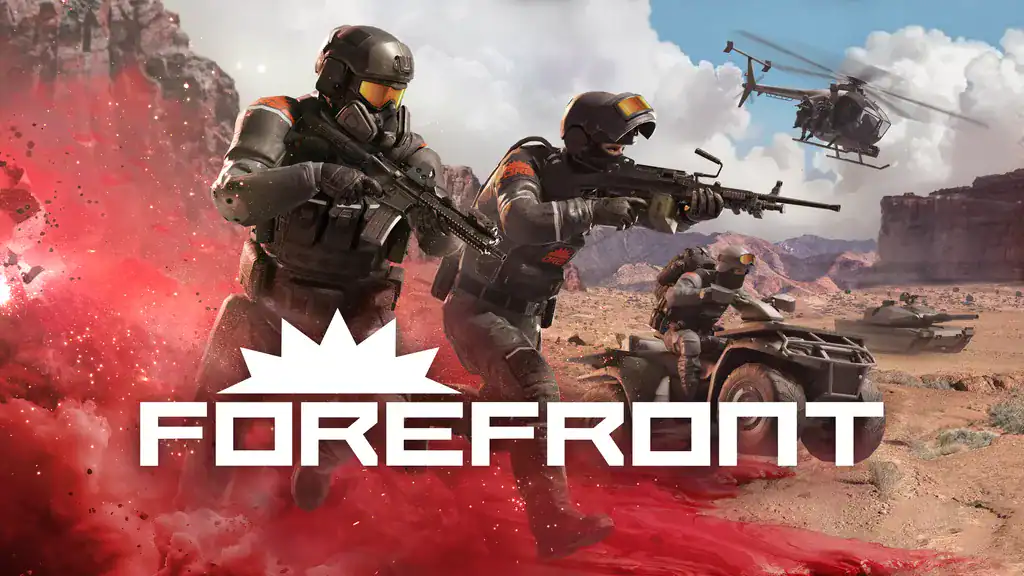
Forefront VR 1.0 Patch Notes: New Map, PCVR Lighting & More
Forefront has had a steady stream of content updates while it was in Early Access, and 1.0 is no different. Here’s a quick breakdown of everything you can expect. For the full Forefront 1.0 patch notes, check out the announcement trailer below. When full patch notes become available, we will link them directly here.
- New Map: Clear Water – flooded town with lots of vertical gameplay
- New Content: Class Based Field Perks, Drones, Combat Bow, new attachments and more!
- Single Player Sandbox: practice guns and vehicles in a private match before jumping into multiplayer
- PCVR Update: Real-time lighting
- PCVR Update: Improved effects
Forefront VR Class Guide: Best Weapons & Loadouts for Beginners
Looking for Forefront’s best class or weapons? Let’s dive into some top tips to help you start competing.
When starting Forefront, I highly recommend starting with either the Assault or Medic class. Being able to revive teammates, heal, or give ammo to those around you allows you to build score and earn XP even when you are first starting (and likely getting killed a lot).
With unlocks being tied to early game kills and XP, the early game is all about sticking with your team and supporting them where necessary. Try to earn kills by fighting with your squad. If multiple people are firing on the same target, your chances of securing those early game kills are easier to start earning attachments and new weapons.
The goal when starting is to try out each class and level them up a bit to get a few attachments. Once you find a class that suits your play style, focus on it to keep those unlocks coming to stay competitive with the more hardcore players.
Here’s a breakdown of each class, and a quick tip when starting:
- Assault: Best for most beginners. Stay with your squad and keep them supplied. Use team plays to secure early kills.
- Medic: If you want to support your team instead of going for the kills, stick with Medic. Stay behind your squad and wipe out hurt enemies if your squad goes down.
- Engineer: My favorite class, best for explosive moments and to counter vehicles. With this class, stay on higher vantage points to take out unsuspecting vehicles to gain massive XP with multiple enemies in one vehicle.
- Sniper: Stay near HQ or on high points to counter other snipers. Focus your fire on contested points to support your team and earn XP in the process.
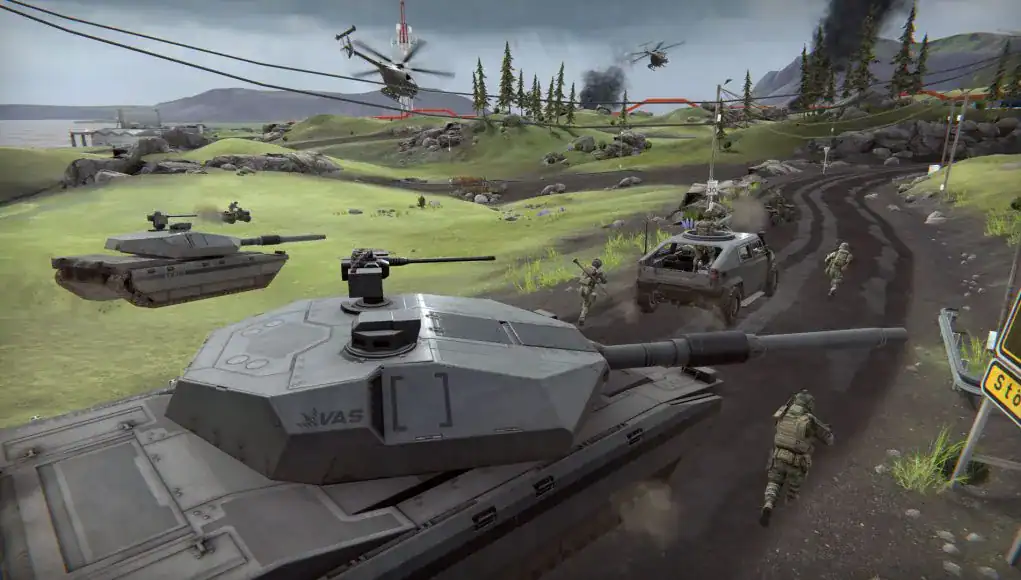
Forefront VR Vehicles & Destruction: How to Dominate the Map
Just like Battlefield, Forefront has both vehicles and destructible environments, a massive win for a game that can run on a standalone Meta Quest 3.
Forefront has usable tanks, helicopters, ATVs, and more. Vehicles can be found in your spawn point and randomly thrown about some maps. Effective vehicle play can be crucial for changing the outcome of a battle. Use tanks to remove enemy cover, helicopters to counter ground-based vehicles, and ATVs to quickly get around the map.
Destruction isn’t just for show; make sure to use it effectively in battle. By destroying walls used by enemies for cover, you can quickly leave opponents with little to block incoming fire. However, beware, not every piece of cover is destructible. Luckily, the community is pretty casual, so feel free to explore and learn in-game to figure out what tactics work best for you.
Should You Buy Forefront on Quest 3 or PCVR?
Let’s get the obvious out of the way. PCVR looks better than Meta Quest. This is not up for debate. That being said, I am absolutely blown away by what the developers have been able to accomplish on standalone Quest 3.
While it does look slightly better on PC, the developers ultimately have to keep Meta Quest 3 in mind when creating assets and maps, so don’t expect a giant leap between the two platforms. Thanks to Forefront’s cross-platform support, you don’t have to worry about picking the platform with the most players to ensure you find a lobby. With this level of equality, personal preference is going to be the decider here.
If you have an existing beefy PC and would rather play your games on Steam, Forefront is perfectly suited for PCVR play. That said, it definitely is not a requirement to enjoy the game. Curious about standalone performance? It runs flawlessly on Meta Quest 3 and 3S. Plus, you can get 10% off if you purchase on Meta Quest using my code: MXR.
Is Forefront 1.0 Worth It? Final Verdict & Discount Code
If you’ve made it this far, or scrolled down to get my final opinion, all you need to know is that it is only April, and Forefront is EASILY my VR Game of the Year. It captures the magic of Battlefield in VR for the first time. The developers have been doing an amazing job supporting the game and listening to community feedback, and the community is feeling lively and excited for the future.
While it is unfortunate the game has gone up in price the last few months, the amount of content they have added makes this easily worth the price tag (and honestly, I would have normally expected this to cost $40, so I see it as a bargain). You can read more in our full review here.
If you want to pick up Forefront, use the link below to get 10% off on Meta Quest and to help support MonarchXR.com. The game is also available on Steam and will be coming to PSVR2 in the future.
Forefront Discount Code: MXR



2 Comments