AMVR FC4M Review: Best Face Pads for Glasses?
I thought I had found the single best Meta Quest 3 facial interface in the Globular Cluster F3 V3, however, some of you made me aware that people who wear glasses are out of luck, considering the lack of depth adjustment. Enter the AMVR FC4M. Is this the ultimate Quest 3 comfort upgrade for glasses wearers? Let’s find out!
For the unaware, a Facial Interface is an accessory for VR headsets that replaces the stock face pads. The Quest 3 is great for a lot of reasons, but the stock face pads are itchy, hard, and uncomfortable. I highly recommend replacing it as one of the first things to do with your new Quest 3.
Comfort & Material Quality: Ice Silk vs PU Leather
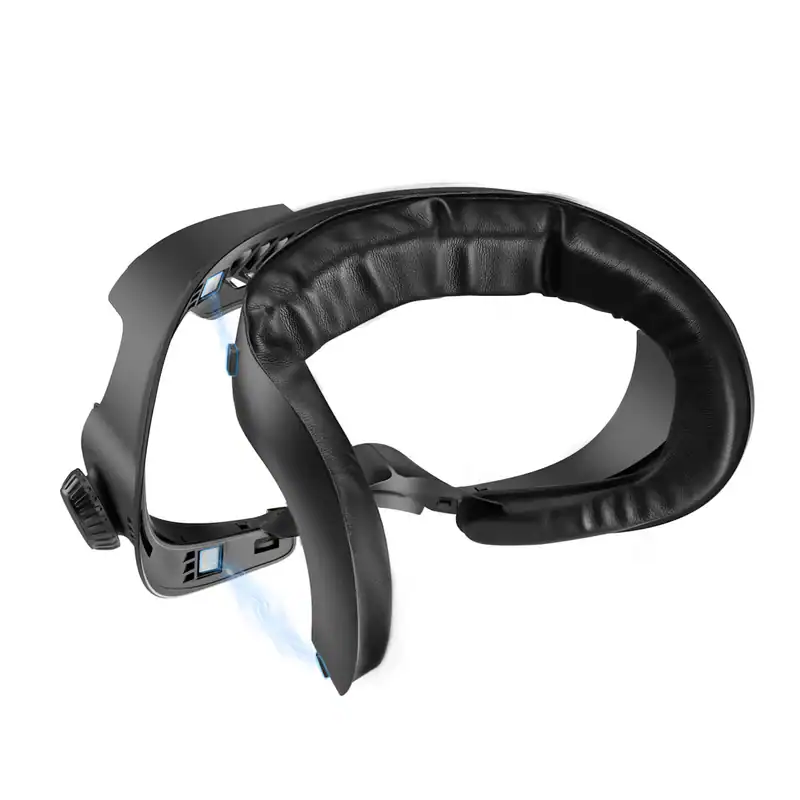
AMVR is not a new brand to the MonarchXR sphere. We have reviewed quite a few of their other products (such as their carrying case and controller grips), and the build quality I admire in those is just as present here. The same material options AMVR are known for are also present: an “ice silk padding,” which is a cooling fabric, and a PU leather option, which is more sweat-resistant. The installation process is easy with a quick snap into the headset once you take off the old stock interface. My only issue with this new one comes with the glasses adjustment dial. More on that below.
The Magnetic Quick-Swap & Dial Adjustment
Let’s start with the magnetic component. The FC4M is advertised as a “magnetic facial interface,” and that comes in the padding. No longer are we velcroing the pads to a plastic connection point. Instead, we are now adding magnets to the padding that attaches to a plastic connection point. Their implementation is fine, but I’m honestly more impressed with the complete magnetic options on the Globular Cluster F3 V3 since it allows far more flexibility.
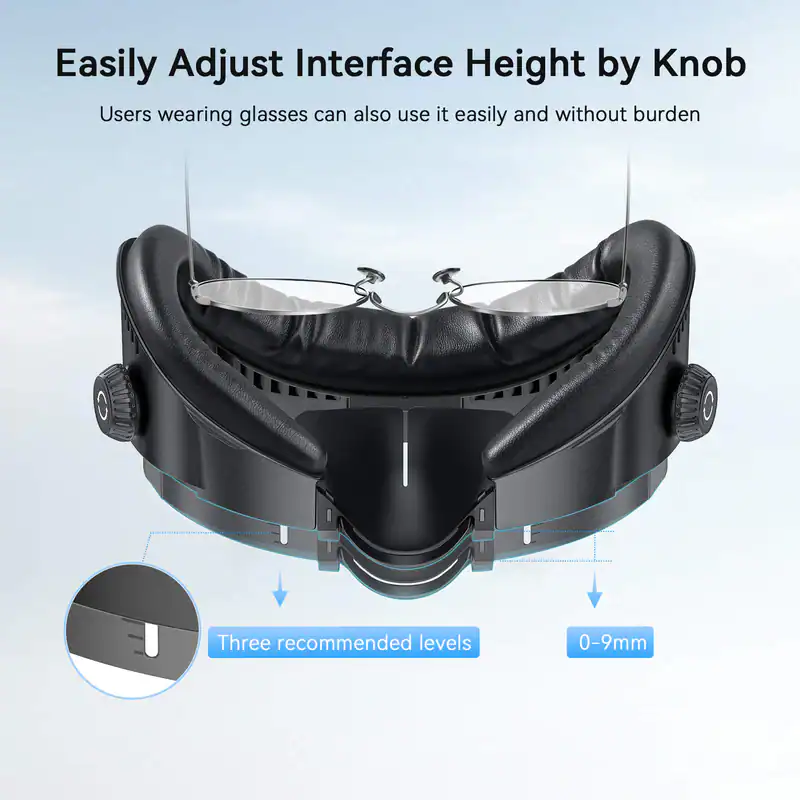
While the magnetic element is the big feature AMVR is selling this on, I actually think the adjustment knobs are the real standout feature. This allows you to move the entire interface either closer or further from the lenses, allowing you to give yourself some room to fit your glasses. The adjustment actually can go pretty far, leaving a huge amount of flexibility if you wear glasses. Something the Globular Cluster option is currently missing. The only unfortunate part is that the adjustment knobs do feel a bit weak, almost like they may give out with frequent adjustment. Considering this is the big differentiator from other options on the market, I think AMVR needs to make that knob a bit better in a future iteration.
Does It Actually Fix Lens Fogging and Heat?
Quest 3 lens fogging is a huge issue, and honestly, the ventilation on this interface is a huge improvement. Built for headstraps with included fans, the top ventilation allows for a lot of air. I hardly had any fogging during a particularly intense session of Supernatural.
Pros and Cons
The Verdict: An Essential Upgrade?
If you wear glasses, this is easily my new recommendation for the best Facial Interface for Meta Quest 3. The built-in adjustment knobs are huge, as without them you’d have to shell out for expensive prescription lens inserts or wonky spacers. Just try not to readjust them too much if you can help it to prolong the life of the plastic knobs.
That being said, if you do not wear glasses or prefer using prescription lenses, I still think the Globular Cluster F3 V3 is easily the best facial interface on the market. It is highly customizable, insanely comfortable, and a bigger value with the options you get for a similar price point.
Grab Yours Here
If you want to permanently upgrade your Meta Quest 3 comfort, you can grab the FC4M using our links below:
(Using our affiliate links earns us a small commission at no extra cost to you, which directly funds our ability to keep creating unbiased, ad-free hardware reviews!)